

FreeRDP - USB-Weiterleitung unterstützter Plug&Play Geräte
Server Settings
Ensure that the integration of redirected USB devices is allowed on the server side.
By default, this function is disabled and must first be enabled via Group Policy.
Group Policy
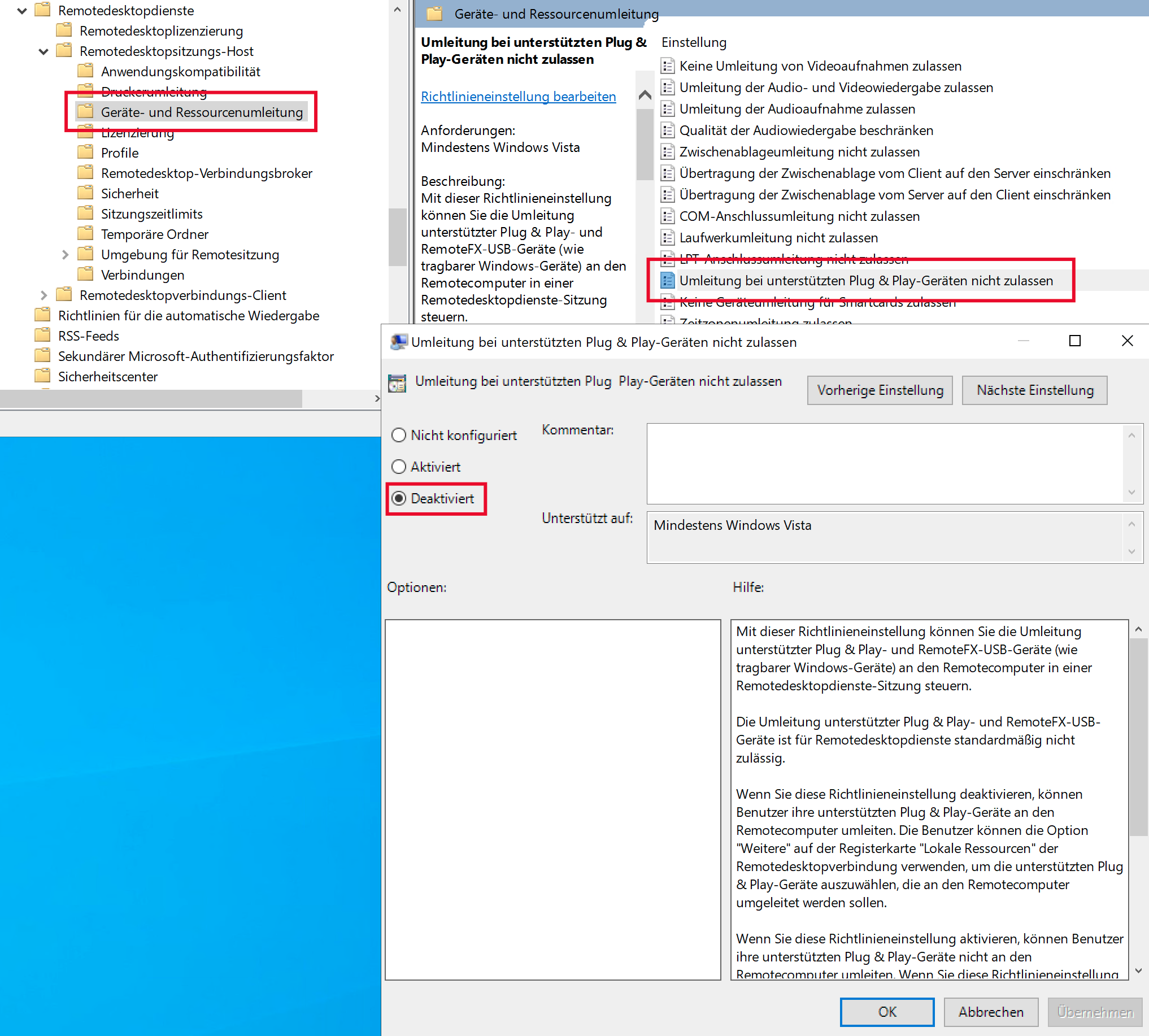
The required settings can be found in the Group Policy Editor (locally or in the domain) under:
Computer Configuration
→ Administrative Templates
→ Windows Components
→ Remote Desktop Services
→ Remote Desktop Session Host
→ Device and Resource Redirection
→ “Do not allow supported Plug and Play device redirection”
→
Disabled
Session Collection Configuration
Additionally, ensure that redirection of supported Plug & Play devices is allowed within the session collection configuration.
By default, this option is enabled.
To do so, select the session collection to be configured in the Server Manager under Remote Desktop Services