

6.A.A. Assign TCMS Adress Manually
Last modified by Tobias Wintrich on 2025/11/21 12:37
For small environments or testing purposes, manually adding clients is a viable option. A client can be added using either its IP address or MAC address.
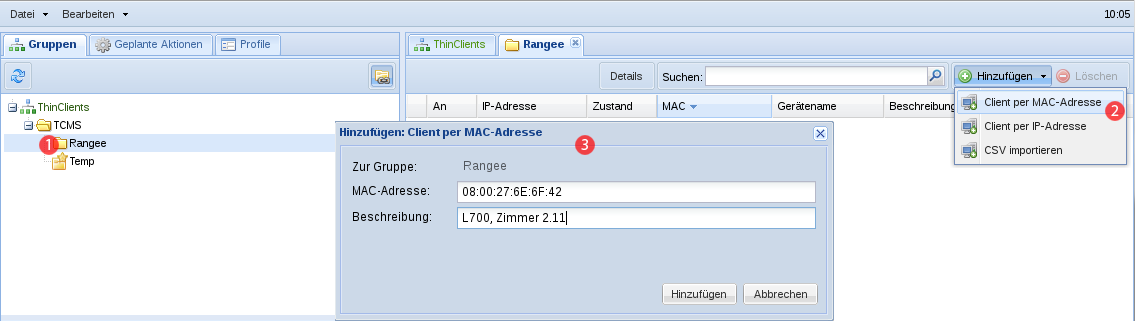
First, select the group in the group tree to which you want to add the client (1). Then click on in the and choose either or from the context menu (2).
In both cases, a dialog window opens where you can enter the IP address or MAC address, as well as an optional description for the client (3).
Client group assignment in the TCMS is always performed based on the device’s unique MAC address. Changing the IP address does not affect group membership.