

RangeeOS - Reset ThinClient to Factory Settings
A thin client running RangeeOS can be reset to factory settings in several ways.
Locally on the Device
Reset via Shortcut
Using the shortcut Shift + Ctrl + Alt + F , you can reset the device after entering your username and password.
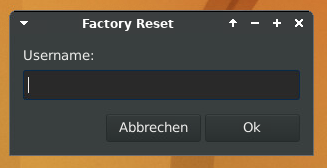
Reset via Rescue Panel
If you repeatedly press the Down Arrow key immediately after turning on the device, the Rescue Panel will appear.
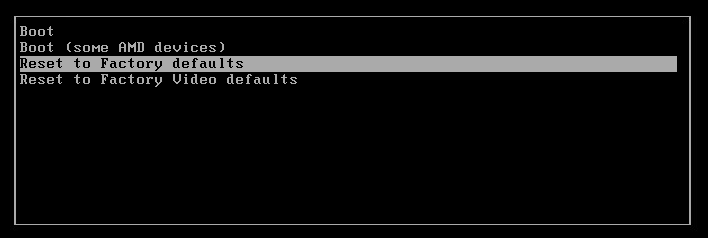
Select RESET TO FACTORY DEFAULTS here.
When prompted, enter your username and password and confirm. The device will then restart immediately.
Remote
Reset via Kommbox
Using the Kommbox, you can reset the device to its factory settings via REMOTE ADMINISTRATION + CONFIGURATION FILE + RESET CONFIGURATION
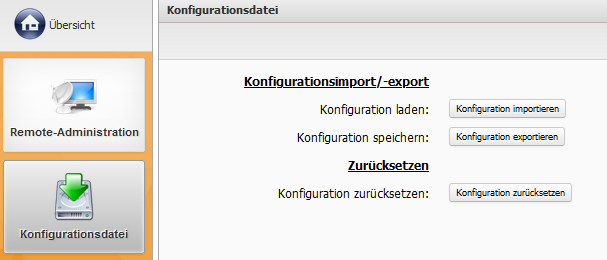
Reset via TCMS
Using TCMS, you can reset a client by right-clicking on ACTIONS + FACTORY DEFAULTS .
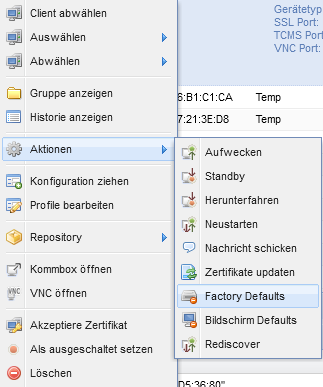
Alternative Reinstallation
If a reset is not sufficient or if incompatible firmware has been accidentally installed on the device, you also have the option to completely reinstall Rangee OS.
You can find all the information you need in this article: