RangeeOS - Booten von USB-Stick nicht möglich
Je nach BIOS-Einstellung kann es vorkommen, dass das Booten von einem USB-Stick nicht direkt möglich ist. Im Folgenden finden Sie eine Auflistung möglicher Ursachen und ggf. notwendiger Einstellungen. Die Auflistung ist von "häufig" bis "weniger häufig" sortiert.
Sämtliche Einstellungen erfordern, dass Sie über Zugriff auf das Geräte-BIOS verfügen. Das BIOS der meisten Geräte erreichen Sie durch wiederholtes Drücken der entsprechenden BIOS-Taste beim Start. Häufige BIOS-Tasten sind z. B.: ESC, ENTF, F2 oder F12.
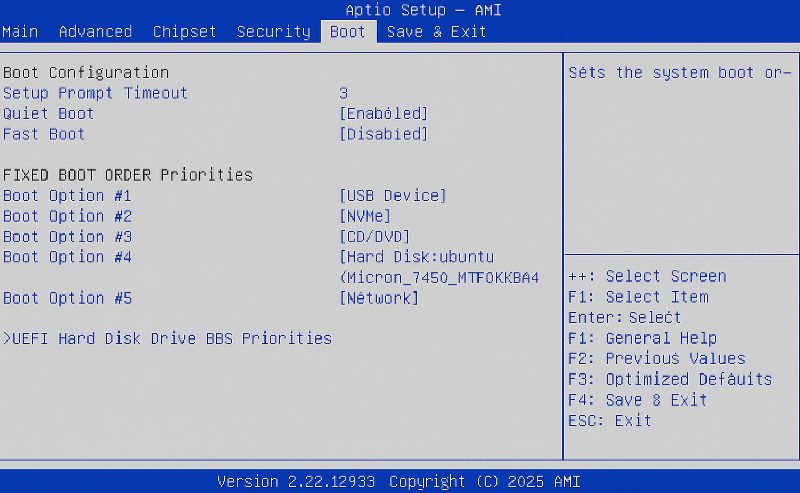
Boot-Reihenfolge
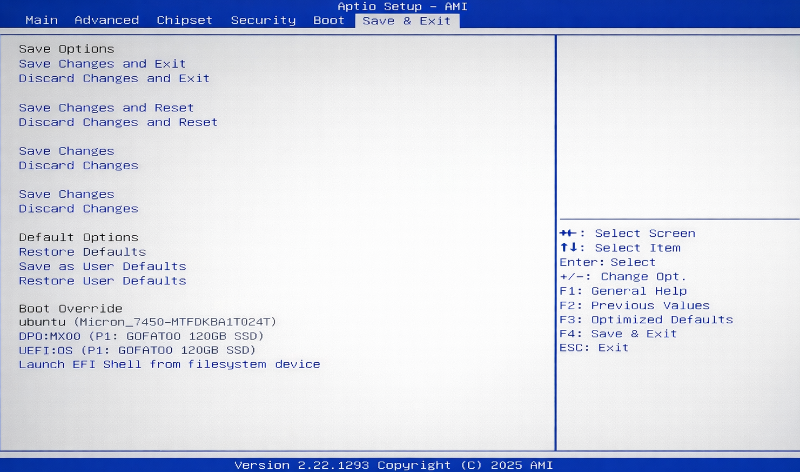
Stellen Sie zunächst sicher, dass das BIOS auch versucht, von Ihrem USB-Stick zu booten. In den meisten Fällen gibt es sowohl eine Option zum dauerhaften Aktivieren von USB-Sticks als primäres Bootmedium als auch häufig eine Option zum einmaligen Start von einem anderen Medium. Die Auswahl eines einmaligen Bootmediums wird zusätzlich häufig über eine separate Taste beim Start ermöglicht, z. B.: F8, ESC oder eine ähnliche Taste.
Secure Boot aktiviert
Für das Booten der Installation von RangeeOS muss Secure Boot im BIOS deaktiviert sein. Wenn die Nutzung von Secure Boot gewünscht ist, kann es nach der Installation wieder aktiviert werden. Hierzu muss allerdings während der Installation unser MOK-Schlüssel mit ausgerollt werden. Weitere Informationen zum Aktivieren von Secure Boot finden Sie in unserem How-To RangeeOS - MOK für SecureBoot ausrollen.
Die Option zum Deaktivieren von Secure Boot finden Sie meist unter dem Menüpunkt Advanced oder Security.
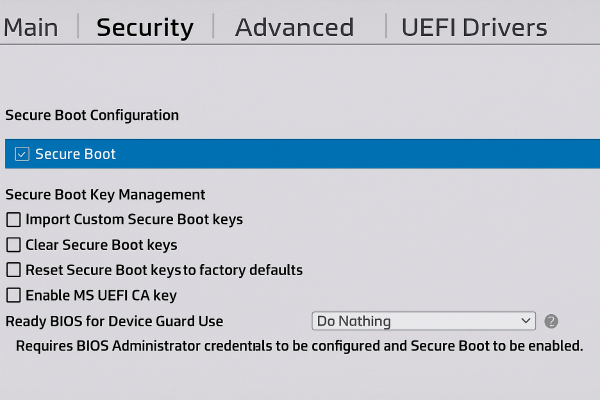
Secure Boot Option in HP BIOS
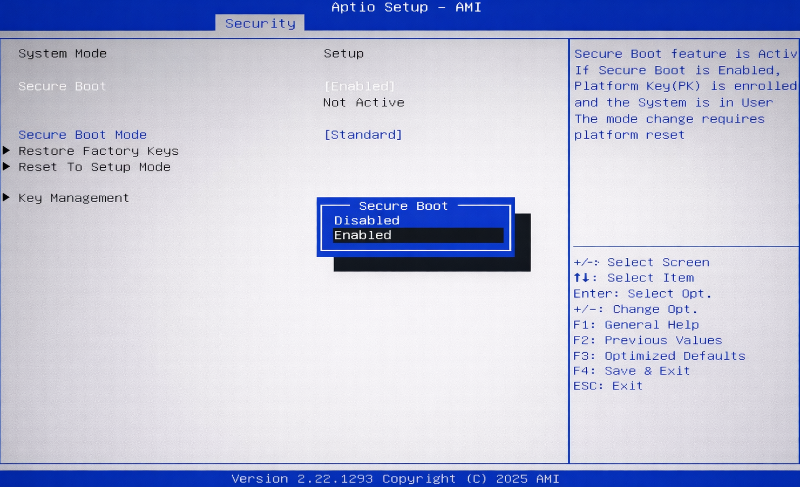
Secure Boot Option in Aptio BIOS
HP Wolf Security
Business-Modelle von HP sind mit einer zusätzlichen Technologie ausgestattet, die das Booten von nicht autorisierten Medien verhindern soll. Bei entsprechenden Geräten muss die Option Sure Start Secure Boot Keys Protection im BIOS deaktiviert werden.
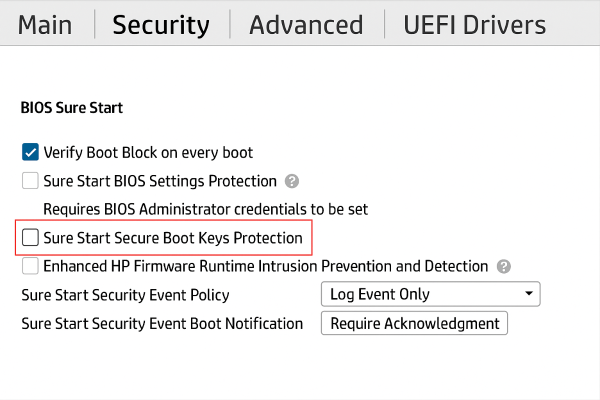
HP - Wolf Security Boot Protection
Sonstige Optionen
Seltener kann es erforderlich sein, dass folgende Optionen im BIOS deaktiviert werden müssen:
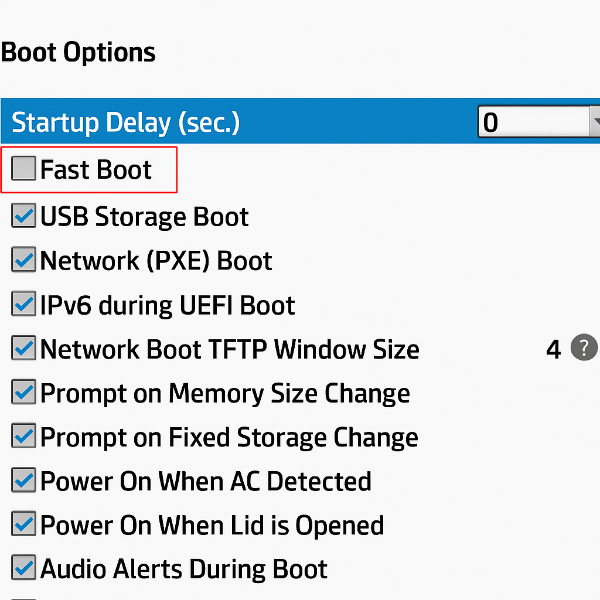
- Fast Boot
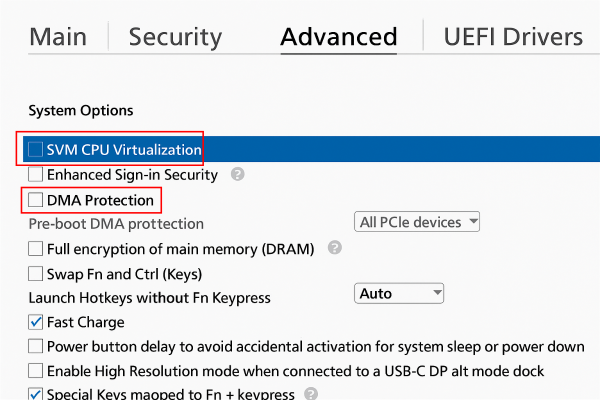
- SVM CPU Virtualization
- DMA Protection